CHATER 7A: OpenSpand Sound Ouput
Device Compatibility
Zebra's OpenSpand's audio ouput jack accepts a standard 3.5mm stereo plug.
Amplifiers and Powered Speakers: The OpenSpand audio output was designed to provide high-quality low-noise output to high impedance devices like powered speakers and ampliers.
Headphones and earbuds: Most stereo headphones and earbuds have low impedances of 32 or 16 ohms. The OpenSpand output drives the more common 32 ohm device adequately, but the volume may not be a high as you would like and the sound quality not as high as with powered speakers or amplifiers.
Simple Sound Output Test Program
this section is in development
Hardware details
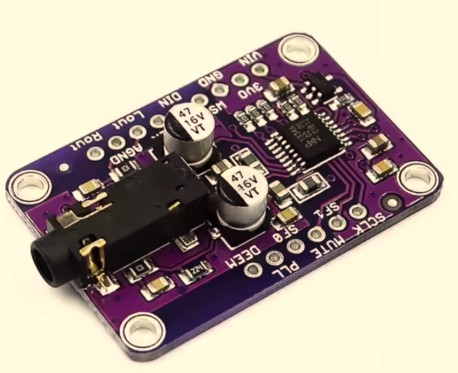
Zebra's version of the OpenSpand incorporates the WDMCU-1334 sound module, which is a clone of the Adafruit I2S Stereo Decoder - UDA1334A
If you are a hardware geek and wan't to know nearly everything there is to know about this sound module visit Adafruit
https://learn.adafruit.com/adafruit-i2s-stereo-decoder-uda1334a/pinouts
User Guide
- Home
- Users Guide
- Conventions used in this guide
- CHAPTER 1: OpenSpand Compatibility
- CHAPTER 2: Connecting Your OpenSpand
- CHAPTER 3: Choosing Your Display Settings
- CHAPTER 4: Testing Your OpenSpand
- *CHAPTER 5: Storing Programs on SD Cards
- CHAPTER 6 - Removing OpenSpand from its case without damaging it.
- *CHAPTER 7: Using a Joystick
- CHAPTER 7A: OpenSpand Sound Output
- CHAPTER 8: Setting Your Real Time Clock
- Chapter 9 - The OpenSpand Configuration Screen
- Chapter 10 - Installing your Real Time Clock Battery
- * Introduction
- *CHAPTER 5A - The OpenSpand Configuaration Screen
- !! Chapter titles preceded by an asterisk * have not been written yet !!
- INDEX TO DEMO SOFTWARE ROUTINES
- FAQs
- CONTACT